Choice and risks

Prop trading platform: terminal and engine

A prop trading platform is not only the terminal where you press the button. We work out how prop trading MT5 differs from Match Trader for prop and DXtrade for prop, and who in that chain counts your drawdown and closes the account on a breach.

A prop firm's terminal and a prop firm's engine: nine environments in one catalogue

Programme descriptions mix up three different things: the terminal where you press the button; the firm's engine, which counts the limits; and an add-on over the account, which counts nothing but manages size. Below are all three classes in one catalogue, with a filter on the criterion that most often decides the choice: whether your advisors run here.

Shown: 9 of 9. The “advisors” column is about the possibility of automation in the environment itself, not about the firm's permission: a ban on advisors exists even where they technically run. Every environment has its own analysis — the link is at the foot of the card.

MetaTrader 4TerminalYes, MQL4ADVISORS

An old terminal that survives on its library of ready-made advisors and indicators. At prop firms it turns up less often than MT5 — the new engines barely support it — but programmes with a forex core keep it for those whose strategy is written in MQL4.

MarketsForex, metals, CFD
Mobile versionyes, cut down
What carries overMQL4 advisors, but not MQL5
Distinctive featureno partial close by default
Environment analysis
MetaTrader 5TerminalYes, MQL5ADVISORS

The de facto industry standard: almost every programme has it, and the MQL5 library remains the largest. For a prop account something else matters more: MT5 shows position history separately from trades, so reviewing a breach of the rules from an export is faster than in web terminals.

MarketsForex, metals, indices, crypto
Mobile versionyes, full
What carries overMQL5 advisors, scripts, indicators
Distinctive featurereport export to HTML and Excel
Environment analysis
cTraderTerminal and platformYes, cBots in C#ADVISORS

The only widespread one where algorithms are written in C# rather than MQL. It gives market depth and a detailed execution log — useful when an argument with the firm is about the fill price of a stop. MetaTrader advisors do not run here at all: the code has to be rewritten.

MarketsForex, metals, indices
Mobile versionyes
What carries overnothing from MetaTrader
Distinctive featuremarket depth and an execution log
Environment analysis
DXtradeA prop firm engineLimitedADVISORS

A Devexperts product, institutional in origin. At prop firms it is installed as a ready solution with a web terminal and its own risk module: the limits are counted by the engine itself rather than by an add-on over a terminal. For algorithms there is less on offer than in MetaTrader or cTrader.

MarketsForex, CFDs, futures
Mobile versionyes, web and app
What carries overdiscretionary strategies, not advisors
Distinctive featurea risk module inside the platform
Environment analysis
Match-TraderA prop firm engineLimitedADVISORS

An engine by Match-Trade Technologies, one of the most common at forex programmes. It is sold to firms together with a client area and a rules panel, so at such programmes the daily limit and the bans are often visible to the trader right in the interface — convenient, and it removes some of the questions to support.

MarketsForex, metals, crypto
Mobile versionyes, web and app
What carries overdiscretionary strategies
Distinctive featurethe rules are shown in the interface
Environment analysis
TradeLockerA prop firm engineIts own environmentADVISORS

The youngest of the widespread ones: built for the browser and the mobile screen, quick to connect and therefore cheap for a firm. MetaTrader code does not carry over here, but it has automation of its own — Studio, with strategy testing and a catalogue of bots. The analytics set is more modest than MetaTrader's.

MarketsForex, CFDs, crypto
Mobile versionthe main scenario
What carries overdiscretionary strategies; MQL code, no
Distinctive featureruns with no installation, its own Studio
Environment analysis
TradingViewAn external interfaceNoADVISORS

Not a prop firm platform but an external chart from which some programmes allow you to send orders to your account. Your markup and indicators stay yours and do not depend on which firm you trade at now — when you change programme there is nothing to move.

MarketsEverything the firm provides
Mobile versionyes
What carries overPine markup and indicators
Distinctive featureworks only where the firm has connected it
Environment analysis
The firm's own terminalThe programme's web platformUsually notADVISORS

Some programmes write the interface themselves. There is one plus: the rules, the drawdown counter and the log of breaches sit in the same place as the trades. The minuses are known in advance — the familiar tools are missing, advisors cannot be moved across, and the quality of execution can only be checked in practice.

MarketsAs the firm declared
Mobile versionvaries
What carries overnothing
Distinctive featurerules and trades in one interface
What to check in your own platform
AllocationAn add-on over the accountNot neededADVISORS

Neither a terminal nor an engine but a management layer over a MetaTrader account: the account is divided between several strategies, each with its own budget, its own lot ceiling and its own stop on floating losses. The connection has read rights only — the platform cannot withdraw money. The product's site is allo.trading.

MarketsForex, CFDs via MT5
Mobile versionweb interface
What carries overnothing, it works on top
Distinctive featurestrategy budgets and a breakdown by symbol and hour
Allocation analysis

Terminals and engines in one table

Click a column heading to sort. The last column is what makes an environment different in practice rather than in its description.

NameClass MarketsAdvisorsWhat sets it apart
MetaTrader 4TerminalForex, metals, CFDsYes, MQL4no partial close by default
MetaTrader 5TerminalForex, metals, indices, cryptoYes, MQL5report export to HTML and Excel
cTraderTerminal and platformForex, metals, indicesYes, cBots in C#market depth and an execution log
DXtradeA prop firm engineForex, CFDs, futuresLimiteda risk module inside the platform
Match-TraderA prop firm engineForex, metals, cryptoLimitedthe rules are shown in the interface
TradeLockerA prop firm engineForex, CFDs, cryptoIts own environmentruns with no installation, its own Studio
TradingViewAn external interfaceEverything the firm providesNoworks only where the firm has connected it
The firm's own terminalThe programme's web platformAs the firm declaredUsually notrules and trades in one interface
AllocationAn add-on over the accountForex, CFDs via MT5Not neededstrategy budgets and a breakdown by symbol and hour

Which environment a particular programme uses is written in its terms, and one firm often offers a choice of two or three. A list of live programmes with references to their rules is on the choosing a firm page.

What the interfaces look like

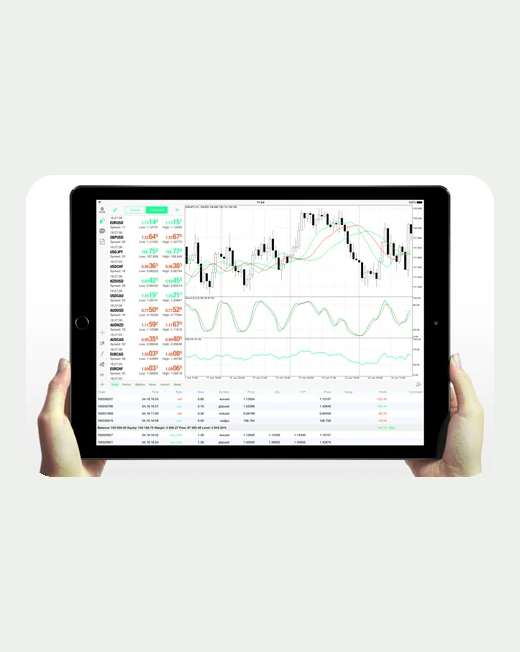
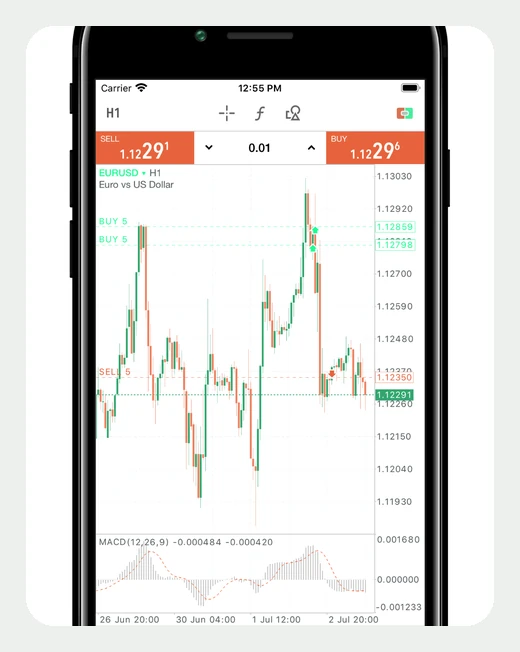
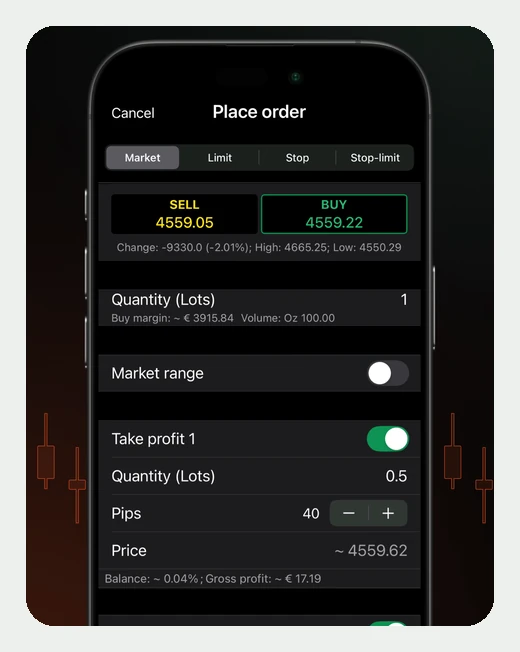
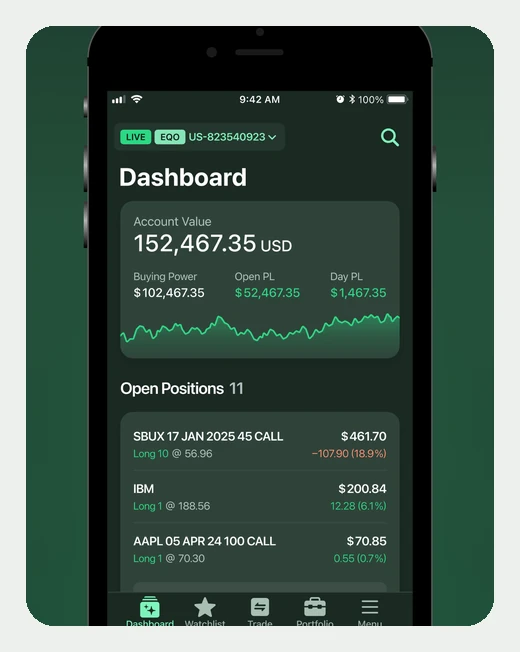
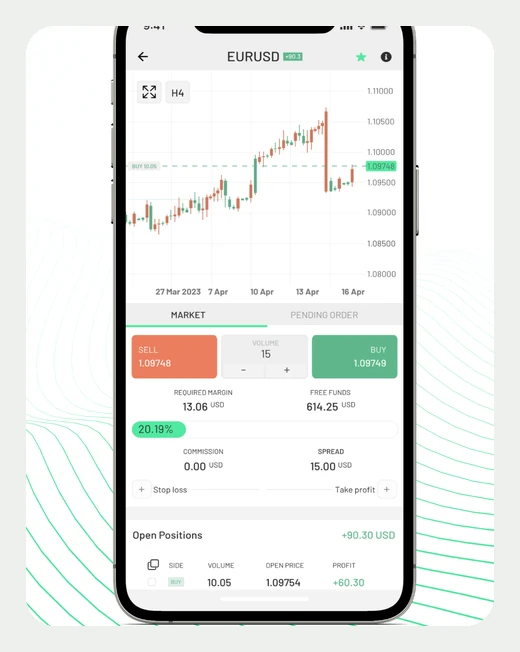
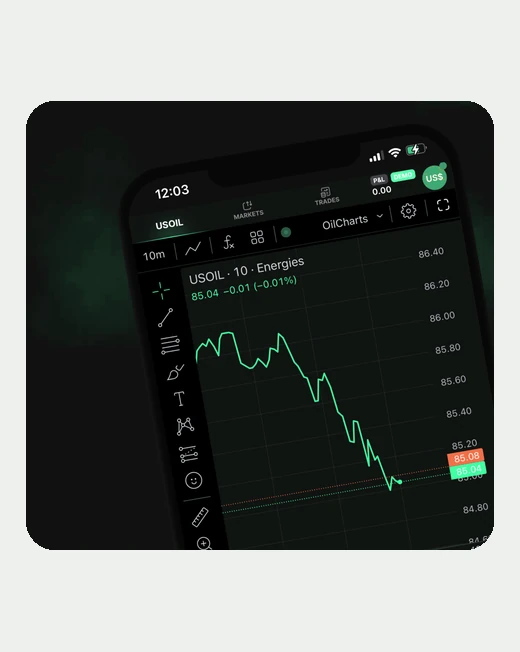
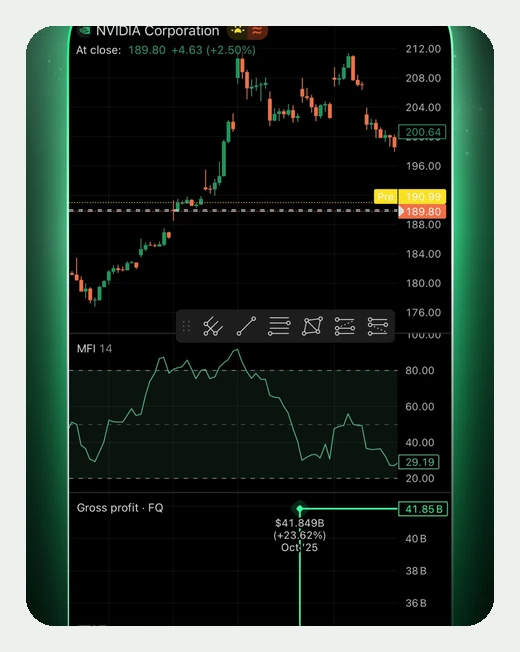
One screen per environment: the chart and the order panel — what you work with every day. These are official App Store app screenshots recoloured to the site's palette so that another company's brand colour does not clash with the design; the interfaces are not redrawn. The full set of screens and the analysis are on each environment's page.

A MetaTrader 4 app screen: the terminal in prop trading
MetaTrader 4Terminal
A MetaTrader 5 app screen: the terminal in prop trading
MetaTrader 5Terminal
A cTrader app screen: terminal and platform in prop trading
cTraderTerminal and platform
A DXtrade app screen: a prop firm engine in prop trading
DXtradeProp firm engine
A Match-Trader app screen: a prop firm engine in prop trading
Match-TraderProp firm engine
A TradeLocker app screen: a prop firm engine in prop trading
TradeLockerProp firm engine
A TradingView app screen: an external interface in prop trading
TradingViewExternal interface
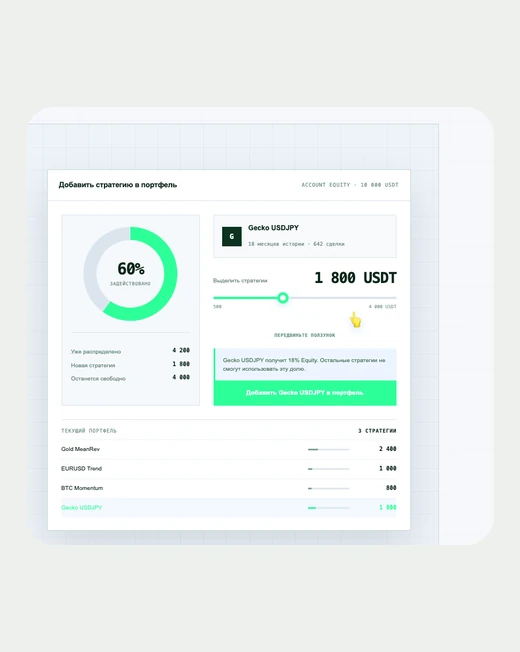
An Allocation app screen: an add-on over the account in prop trading
AllocationAdd-on over the account
One environment is missing here

Every firm's own terminal is its own: there is no single product, and showing one of them as representative would be wrong. The other eight environments are above, one screen each; for the add-on it is not a chart but a panel for distributing capital.

What to check in your own firm's platform

A terminal and an engine are different things

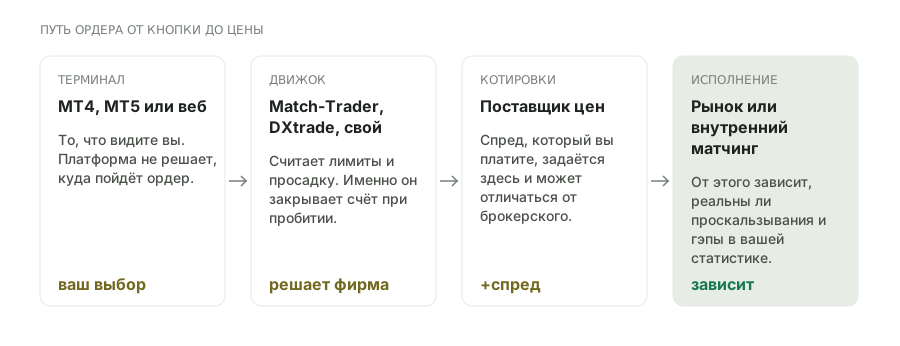
The trader sees a terminal and chooses a programme by it. But the limits are counted not by the terminal but by the firm's engine — and it is the engine that closes the account on a breach. The terminal in that chain is only an interface.

Hence a practical consequence that breaks expectations: the same MetaTrader at two firms does not mean the same terms. The drawdown base, the moment the daily limit resets, the treatment of commission — all of that is set in the engine, not in the platform.

Three links to tell apart

Terminal
MT4, MT5, a web platform or a mobile app. Responsible for convenience and the analysis toolset, but not for the rules.
The firm's engine
Match-Trader, DXtrade, cTrader or an in-house build. It counts the limits, keeps the log of breaches and closes the account.
The liquidity provider
Sets the spread you pay. It can differ from a broker's, and on a simulated account it sets the slippage model.
An add-on over the account
An optional link: a size-management layer between you and the terminal. It does not know the firm's rules and counts no limits — it only enforces what you set yourself.

MT5 in prop trading, Match Trader for prop and DXtrade for prop: which to choose

Three names that appear most often in programme descriptions. One of them is a terminal, the other two engines, and the choice between them comes down to three questions.

MetaTrader 5 — if you have code and a history
The only environment with a large library of advisors and a detailed report export. Take it if the strategy is automated or if you are prepared to review breaches from the position history.
Match-Trader — if seeing the limits matters
The engine usually reaches a firm together with a rules panel, so the cushion to the daily limit is visible in the client area. For discretionary trading that is more convenient than MetaTrader, where you have to count it yourself.
DXtrade — if the markets go beyond forex
An institutional engine with a wide instrument set and its own risk module. Less automation, but a wider range of markets.

What to check before buying. Whether your advisor or indicator runs in that environment. MetaTrader code does not carry over into cTrader or into the engines' web terminals; discretionary strategies move across, automated ones do not. That condition is not in the rules but in the technical specification, and it is the one most often skipped.

Why the platform affects drawdown

Indirectly, but noticeably, and through three mechanisms. None of them is written in the rules — all three are discovered in use.

direct effectWhen equity is recalculatedIf the limit is measured from equity, how often the engine recalculates it matters. A tick-by-tick recalculation triggers on a momentary spike you never even saw in the terminal.
effect on executionLatency and slippageBetween the button and the fill stand the terminal, the engine and the liquidity provider. The actual stop turns out worse than the calculated one, and the limit does not move to accommodate it.
effect on convenienceRisk control toolsWhether there is a partial close, a trailing stop, a size calculator inside the platform. It does not change the rules, but it reduces the number of mistakes.

How to choose a platform for a prop account

Six checks in order of how conclusive they are: the first settles the question at once, the last can only be tested on demo.

01Compatibility with your code

An MQL5 advisor will not go into cTrader, and an MQL4 one often will not go into MT5 either. If the strategy is automated, this point decides the choice entirely and first.

decides at once
02Which engine counts the limits

The platform name in a programme's description can refer to the terminal or to the engine. Ask about the second: the drawdown base and the moment the daily limit resets depend on it.

the main question
03Are the limits visible in the interface

Some engines show the current cushion to the daily limit right in the client area. That is no small thing: counting the cushion in your head in the middle of a streak is a sure way to get it wrong.

saves accounts
04The execution log

An argument about the fill price of a stop is settled by an export. Check whether the environment has a detailed history with prices and times — the proving is yours to do.

needed for a dispute
05Mobile access

If the strategy needs watching during the day, check that the mobile version can move a stop and close part of a position, not only display them.

check in advance
06Behaviour under load

Web terminals sometimes lag on quote updates during news. It can only be checked in practice: on the programme's demo account at the moment of a data release.

only on demo

An add-on over the account: the Allocation example

A separate class in the catalogue above — neither a platform nor an engine but a layer between the trader and the terminal. Its task is narrow: to divide one account between several strategies so that each lives within its budget and none can take the whole account out. For prop trading that is exactly the task that is done badly by hand: two independent algorithms on one account add up their risk, and the daily limit is breached twice as fast as calculated.

How it works at Allocation. The platform connects to a MetaTrader 5 account with rights to read and to place orders only — it cannot withdraw money. Each connected strategy is assigned a share of capital. No separate sub-account appears: the share works as a limit inside the platform, while the positions still live on one account and fall under the same firm rules. On top of the budget you can set a hard lot ceiling per position, a size multiplier and a stop on floating losses — once it triggers, the strategy opens no new trades.

The analytics answer the question that matters more than returns on a prop account: where the drawdown comes from. The result is broken down by instrument, hour of day, day of week and month; a trade log is kept separately, with the source price next to your fill price — so slippage is visible. From that you can see which strategy and in which hours creates the risk, rather than merely which of them is in profit.

what it settlesThe adding-up of risk across several strategiesA budget per strategy and a lot ceiling stop two algorithms combining their size into one blow to the daily limit.
what it showsThe source of a drawdownA breakdown by symbol, hour and day plus a log with slippage answer which part of the portfolio creates the risk.
what it does not doIt does not observe the prop firm's rulesThe add-on knows neither the base of the daily limit nor a particular programme's consistency rule, and it does not watch them. Holding the limits is still up to you, and sizing is worked out from the firm's rules.

For licence terms and current compatibility with brokers and account types, see the product itself: what we set out here is the mechanics of the class, not a commercial offer. We have neither affiliate links nor payment for a mention — disclosure.

Frequently asked questions

Does the choice of terminal depend on the market?

Yes, and more than it seems. MT4 and MT5 cover forex and metals, cTrader adds market depth, and for futures and cryptocurrencies firms more often provide their own web terminals. What exactly is available on each market is in the analysis of prop programme markets.

Which platform is best for prop trading?

The one your strategy runs in. For discretionary trading the difference is small and comes down to convenience; for algorithmic trading compatibility decides it: MetaTrader code does not carry over into cTrader or into the engines' web terminals.

Is there MT5 in prop trading and how does it differ?

MT5 is a common terminal at prop programmes, but it does not set the rules itself. The same MT5 at two firms does not mean the same limits: they are counted by the firm's engine.

What is Match Trader for prop?

Match-Trader is an engine with its own web terminal, common at forex programmes. It also counts the limits and keeps the log, so the drawdown base is set in it rather than in the terminal.

What is DXtrade for prop?

DXtrade is another engine with web and mobile access, common at programmes with a wide range of markets. Like Match-Trader, it is responsible for computing the limits and closing the account.

Do my advisors run on any platform?

No. MetaTrader code does not carry over into cTrader or into the engines' web terminals. Check that in the technical specification before buying rather than in the trading rules.

Does the platform affect the spread?

The spread is set by the liquidity provider the firm has chosen, not by the terminal. But different engines work with different providers, so the platform affects the spread indirectly.

Can an account be closed by a spike I never saw?

Yes, if the limit is measured from equity and the engine recalculates it on every tick. A momentary spike on an illiquid instrument can touch the threshold without leaving a trace on the terminal's chart.

Can the platform be changed on an existing account?

Usually not: the platform is tied to the account at purchase. Changing it means a new account and sometimes a new purchase — a condition worth checking if you are unsure of the choice.

Is there a difference in execution between the terminal and the web version?

Functionally usually not, but the latency can differ. For scalping that is material and it is tested in practice rather than read in a description.

DiagramWho stands between your button and the fill price
Who is in the order chain on a prop account: the trader's terminal, the prop firm's platform, its broker or an internal execution engine — and at which link the difference in price arises
PPTF logo
The PPTF editorial teamWe take prop trading where it is actually calculated: the lot allowed by the daily and maximum limits, the payback of the fee, the payout after the split. Rules come from firms' documents, not from their advertising.Who writes this and how we verify dataData verified: 02.09.2026